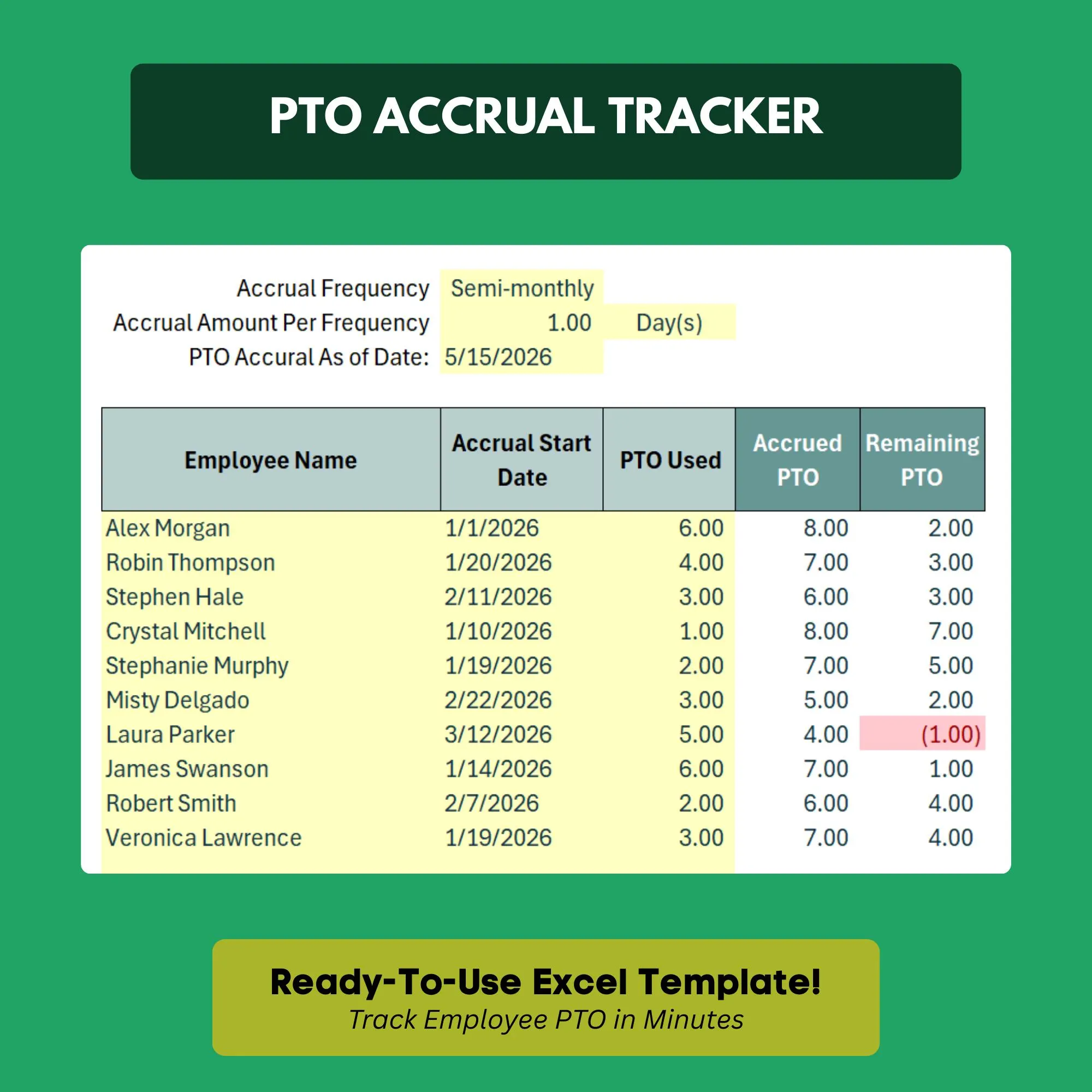
PTO Tracker Spreadsheet
Track employee vacation, sick days, and PTO balances automatically.
- ✓PTO accrual calculator by employee
- ✓Individual balance tracker per employee
- ✓Separate vacation, sick, and personal day categories
- ✓Monthly and YTD usage summary
- ✓Calendar view for visual planning
- ✓Year-end rollover section
Q.Does it calculate accruals automatically?
Yes. Enter each employee's accrual rate (e.g. 1.5 days per month) and the running balance updates automatically.
Q.Can I track different PTO types separately?
Yes. The template has separate columns and totals for vacation, sick days, and personal days.
Q.Does it handle year-end rollover balances?
Yes. There is a built-in rollover section to carry unused PTO into the new year, or cap it at your company policy limit.
Q.How many employees can I track?
The template handles teams of any size. Add employees by adding new rows — no limit.
Q.Can employees request time off through this template?
This is a manager-side tracking tool. Employees submit requests through your normal process, and managers log approvals here.
Ready to get started?
Instant download · No subscription · Works on Excel 2016+
Related Templates
The all-in-one HR system for small businesses — no software required.
Get new hires up to speed from day one with a structured onboarding checklist.
Every HR template you need in one discounted bundle — save 40% vs. buying individually.