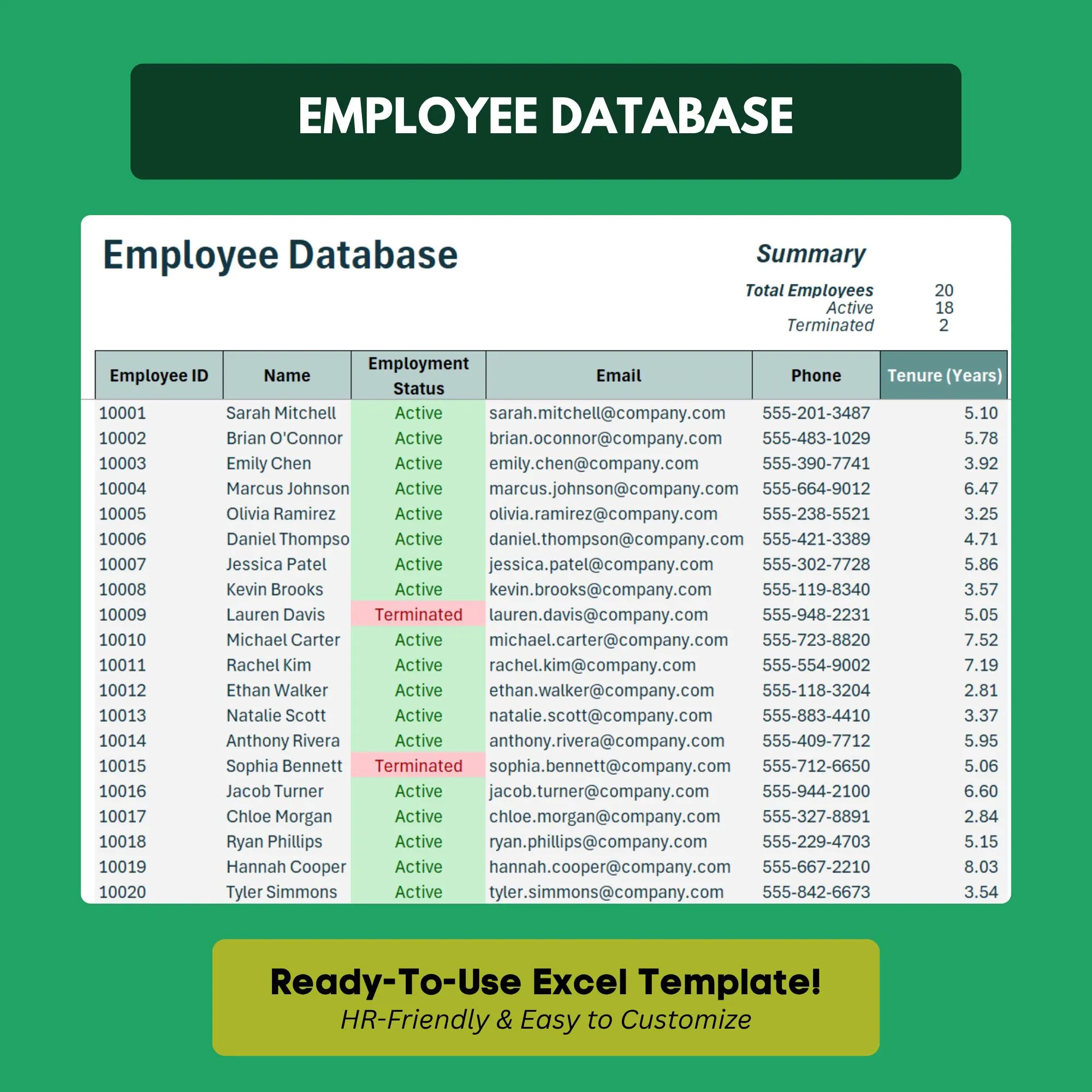
Employee Database Template
Keep all your employee info organized in one searchable, sortable spreadsheet.
- ✓Employee master list with sortable columns
- ✓Department and role breakdown
- ✓Contact directory (phone, email, emergency contact)
- ✓Employment status tracker (active, terminated, on leave)
- ✓Start date and tenure calculator
- ✓Filterable by any field
Q.How many employees can I add?
Unlimited. Just add new rows as your team grows — the formulas and filters scale automatically.
Q.Is employee data secure in this spreadsheet?
The file stays on your computer or company drive — nothing is uploaded externally. You can also apply Excel's built-in password protection.
Q.Can I filter by department, status, or location?
Yes. Every column supports Excel's built-in filter function so you can slice and view the data any way you need.
Q.Can I export the data to other systems?
Yes. Save as CSV to import into payroll software, HRIS platforms, or any other system that accepts spreadsheet data.
Q.Can I password-protect sensitive employee information?
Yes. Excel's built-in sheet and workbook password protection works with this template to restrict access to sensitive data.
Ready to get started?
Instant download · No subscription · Works on Excel 2016+
Related Templates
The all-in-one HR system for small businesses — no software required.
Get new hires up to speed from day one with a structured onboarding checklist.
Track employee vacation, sick days, and PTO balances automatically.