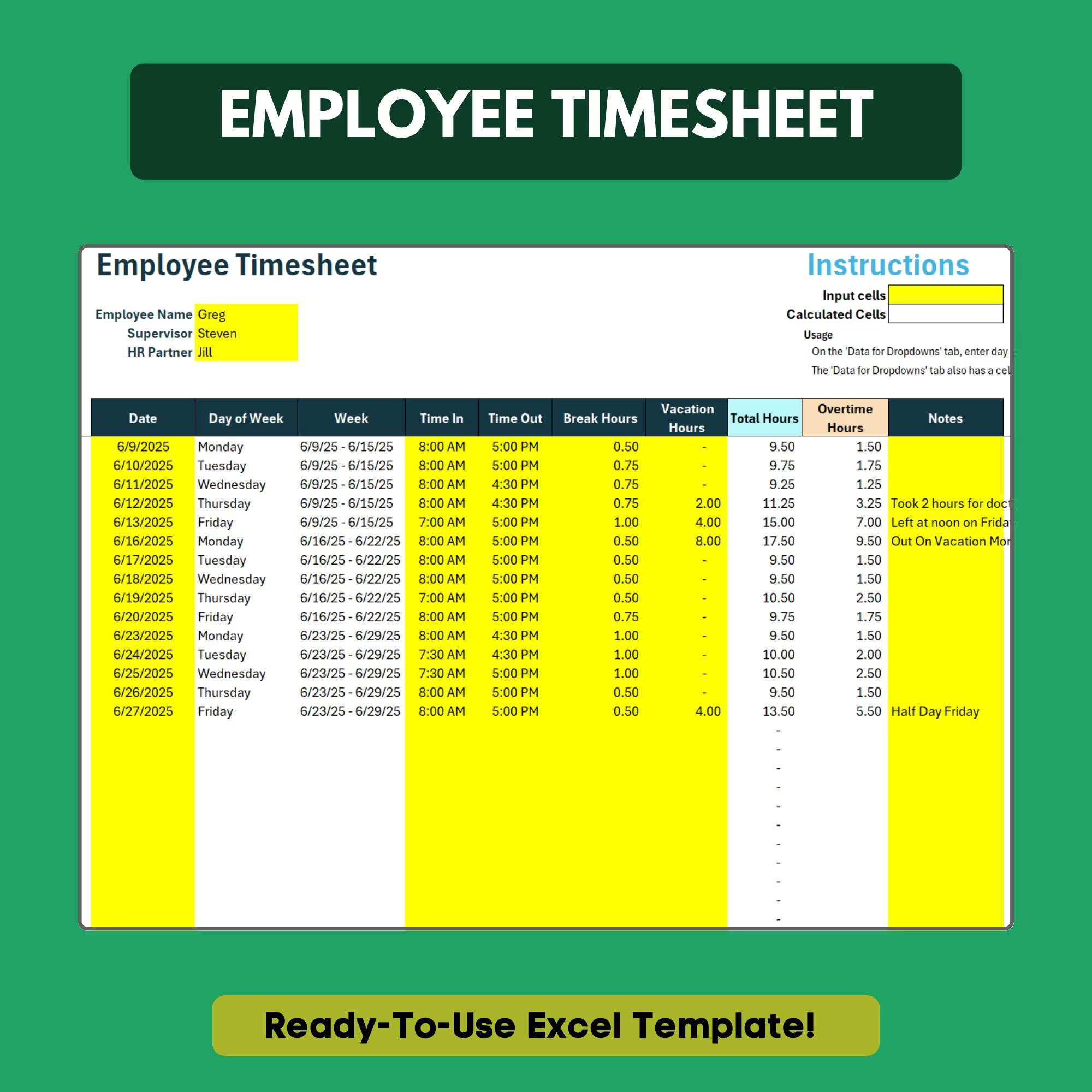
Employee Timesheet Template
Track hours, calculate overtime, and generate payroll-ready weekly summaries.
- ✓Daily time entry log (in/out times)
- ✓Automatic regular vs. overtime calculation
- ✓Weekly hour summary
- ✓Project and task code column
- ✓Payroll-ready weekly totals
- ✓Customizable overtime threshold
Q.Does it calculate overtime automatically?
Yes. Set your overtime threshold (typically 40 hours per week) and overtime hours calculate and highlight automatically.
Q.Can I track hours by project or client?
Yes. The project code column lets you break down hours by task, project, or client for billing or reporting purposes.
Q.Is the output formatted for payroll submission?
Yes. The weekly summary is clean and structured for easy submission to payroll processors or direct upload to payroll software.
Q.Can employees fill this out themselves?
Yes. Share the file with employees to self-report hours. Lock the formula cells to prevent accidental changes.
Q.Does it work for salaried employees too?
It is best suited for hourly employees. Salaried employees can still use it to track project hours and task allocation.
Ready to get started?
Instant download · No subscription · Works on Excel 2016+
Related Templates
The all-in-one HR system for small businesses — no software required.
Get new hires up to speed from day one with a structured onboarding checklist.
Track employee vacation, sick days, and PTO balances automatically.