Vacation Tracking Template
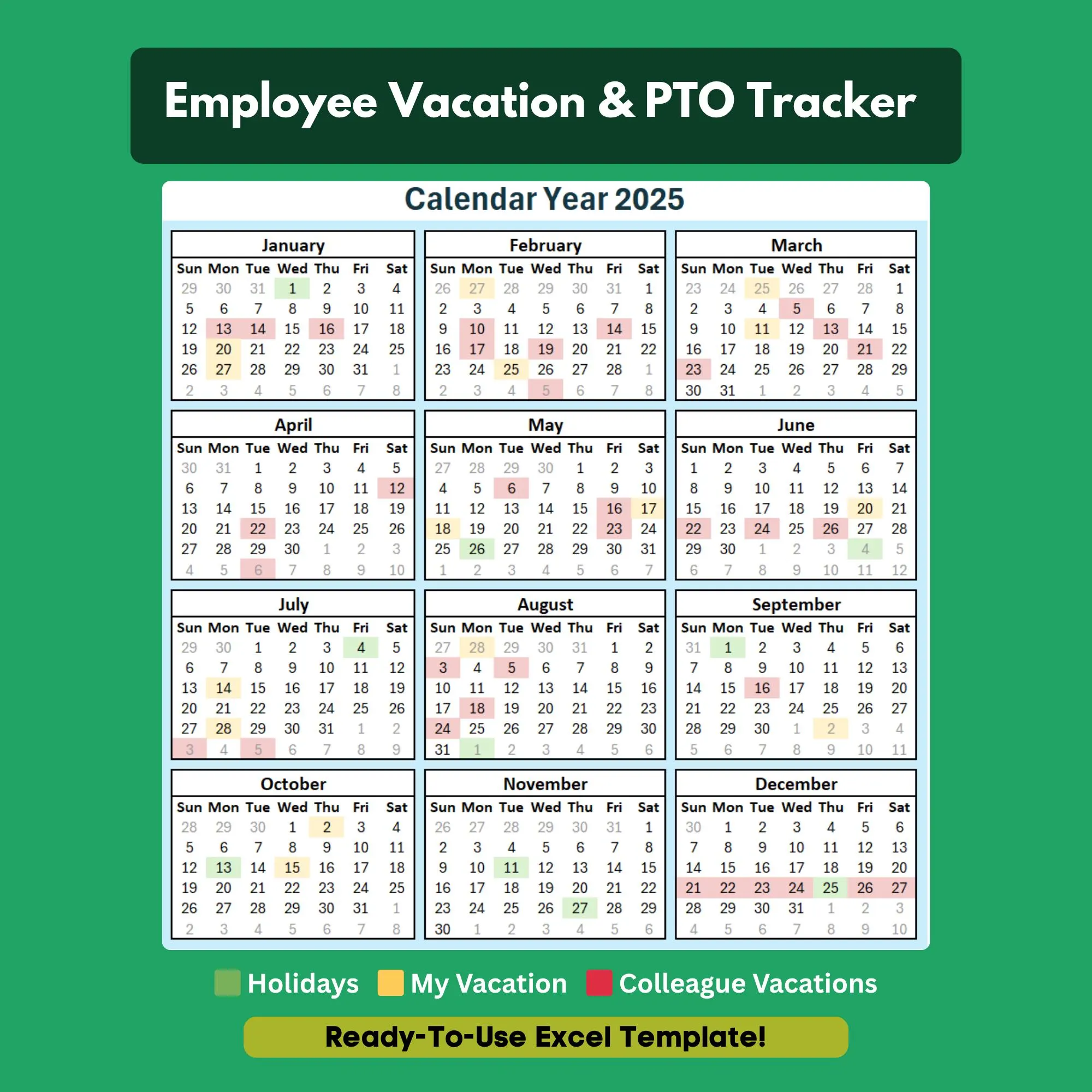
See who's out and when — plan team vacations without scheduling conflicts.
- ✓Visual calendar view (12-month)
- ✓Employee vacation balance tracker
- ✓Request status column (pending/approved/denied)
- ✓Conflict detection highlighting
- ✓Monthly team absence summary
- ✓Public holiday input section
Q.Does it show a calendar view of who is out?
Yes. The calendar view lets you see the full team at a glance and immediately spot scheduling conflicts.
Q.Can I track vacation for the whole year?
Yes. The template covers a full 12 months with a monthly breakdown and annual summary.
Q.Does it handle part-time employees with different accrual rates?
Yes. You can set a custom accrual rate per employee, so part-time and full-time staff are tracked correctly.
Q.Can I add public holidays so they are blocked off?
Yes. There is a public holiday input section that automatically accounts for those days in balance calculations.
Q.Does this work for fully remote teams?
Perfect for remote teams. Save it to a shared cloud drive like OneDrive or Google Drive so everyone can see the calendar.
Ready to get started?
Instant download · No subscription · Works on Excel 2016+
Related Templates
The all-in-one HR system for small businesses — no software required.
Get new hires up to speed from day one with a structured onboarding checklist.
Track employee vacation, sick days, and PTO balances automatically.